# How to Add a Patio to Your Site Plan
Patios follow the same structure-placement workflow as any other feature — place it, size it to spec, and label it so a reviewer can see exactly what's being proposed.
Quick Answer
Click Add Structure from the top toolbar and select the patio preset. Place it just outside the property line first, then drag it into position, resize it to the real dimensions, and label the material.
Step-by-Step
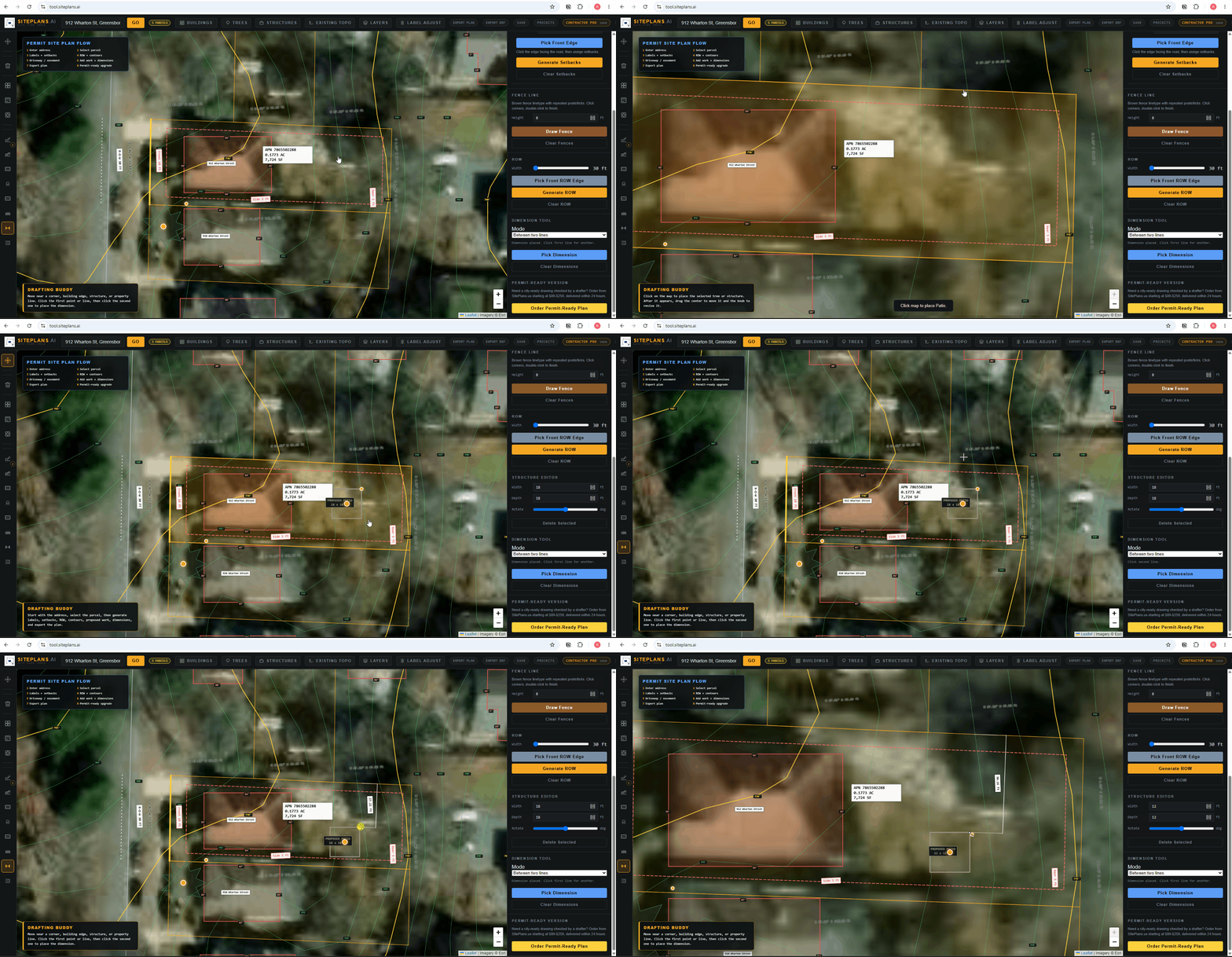
1. Add the structure. Click Add Structure from the top toolbar, select Patio from the preset dropdown.
2. Place it outside the lot first. Drop it just outside the property boundary, then drag it into position — this makes placement easier than dropping it directly on the lot.
3. Resize it to spec. Drag the corner dot, or enter exact dimensions manually in the right-side panel.
4. Add material and notes. Use the description field for patio material — pavers, concrete, covered or open — since this often affects permit review.
5. Adjust the label if it's overlapping other elements on a busy lot, using the Adjust Labels tool.
When to Use This
Any patio permit, especially covered patios, which in most cities require a permit even when an open patio might not. If your patio affects your property's lot coverage percentage, note that in your title sheet notes as well.
Common Mistakes
Placing the patio directly on the lot instead of outside first — makes fine positioning harder.
Not distinguishing covered vs. open in the description — this affects whether a permit is even required in many cities.
Forgetting lot coverage math — patios count toward impervious surface limits in most jurisdictions.
FAQ
Does this work for covered patios too?
Yes — use the description field to note the cover, since covered patios often need additional detail (posts, roof outline) that open patios don't.
Can I resize after placing?
Yes — drag the corner dot or enter dimensions manually at any time.
Do I need to show lot coverage separately?
Note it in your title sheet if your city tracks impervious surface limits — the patio itself doesn't automatically calculate this for you.
Related Tools
Start Here
Create My Site Plan — Need help? Get support from SitePlans.us →