# How to Place a Shed
Sheds are one of the most common structures placed on a SitePlans.ai project — quick to add, but worth getting the setback check right before you finalize.
Quick Answer
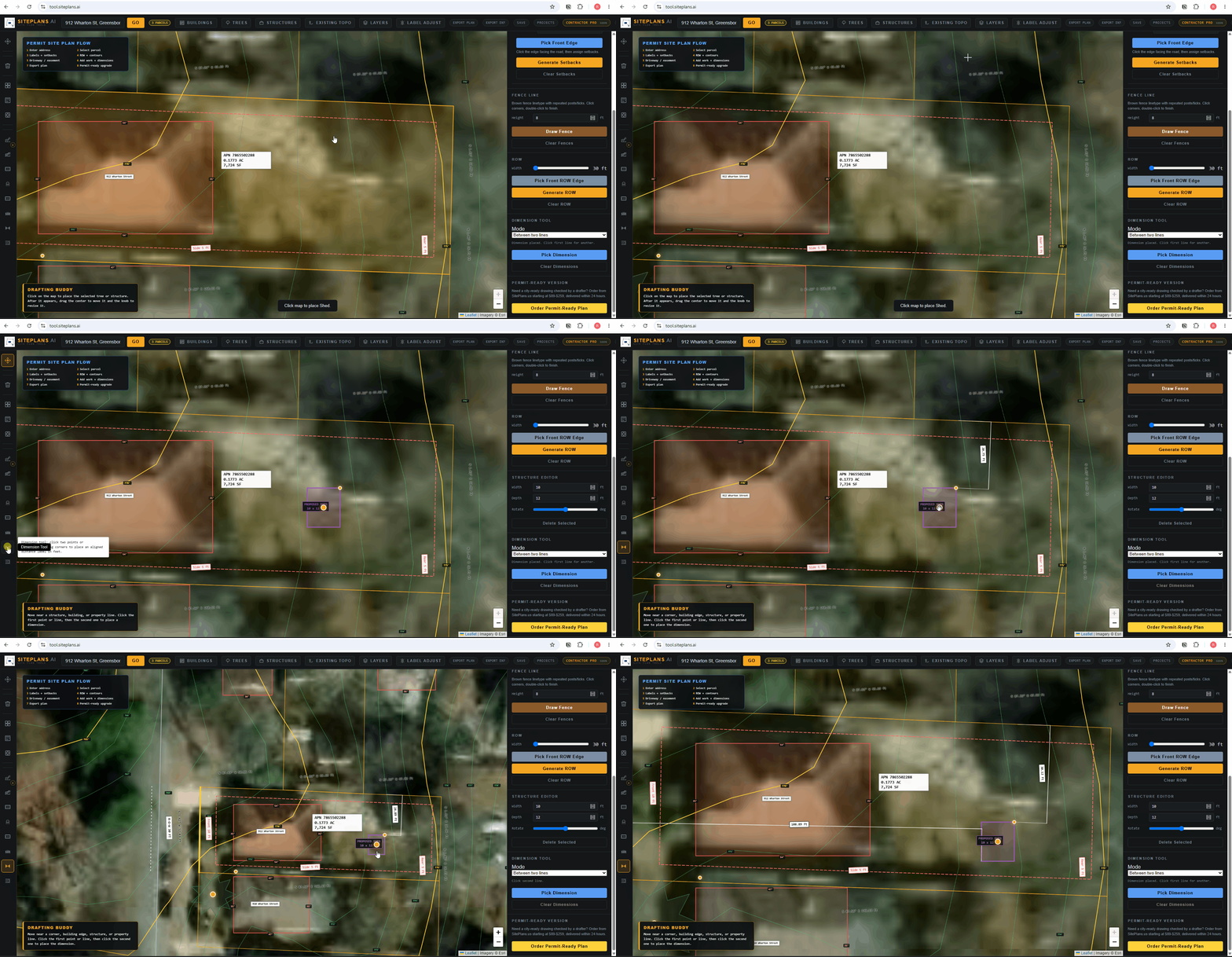
Click Add Structure, select the shed preset, place it outside the lot first, then drag it into position. Resize to your actual shed dimensions and confirm it clears your setback lines.
Step-by-Step
1. Add the structure. Click Add Structure, select Shed.
2. Place it outside the lot first, then drag into position in the side or rear yard, wherever your project is planned.
3. Resize to spec. Drag the corner dot, or enter exact length and width manually in the right panel.
4. Check against setbacks. Confirm the shed doesn't cross your generated setback lines — many cities have a specific minimum distance for accessory structures.
5. Add notes. Use the description field for size, use (storage, workshop), and any relevant permit exemption details if your shed qualifies for one.
When to Use This
Every shed project, whether it needs a full permit or you're just confirming it qualifies for a size-based exemption in your city — either way, seeing it placed accurately against your real property lines and setbacks answers that question fast.
Common Mistakes
Not checking the exemption threshold for your city — many cities exempt small sheds under a specific size (commonly 120-150 sq ft) from permitting, but placement and setback rules still apply either way.
Ignoring setback lines after placement — a shed that visually fits can still be too close to the property line once setbacks are generated.
Forgetting to note the use — a storage shed and a shed used as habitable space are treated very differently by most building departments.
FAQ
Do I need a permit for every shed size?
Depends on your city — many exempt small sheds under a size threshold, but zoning and setback rules still apply regardless of the exemption.
How do I know if my shed clears setbacks?
Generate your setbacks first, then place the shed — if any part crosses the dashed setback line, you'll need to adjust position or size.
Can I place more than one shed?
Yes, though many cities limit accessory structures per lot — check your local rules before assuming multiple sheds are allowed.
Related Tools
Start Here
Create My Site Plan — Need help? [Send Email for support →](support@sitelans.ai)